Guia 2026: Manutenção de Digital Signage e Boas Práticas
9 de fevereiro de 2026
Manutenção de Digital Signage: O Guia Completo de Boas Práticas (Edição 2026)
A manutenção de digital signage não é apenas sobre limpeza; é uma estratégia crítica para proteger o ROI e garantir a continuidade da comunicação visual. Em 2026, com a integração de IA na gestão de dispositivos, as boas práticas evoluíram de reativas para preditivas, evitando falhas antes que o ecrã fique negro.
Por que razão é a manutenção preventiva crítica para o Digital Signage?
A manutenção preventiva pode estender a vida útil do equipamento para até 100.000 horas de operação contínua e reduzir os custos de reparação emergencial em cerca de 40%.
Ao contrário dos televisores domésticos, que operam entre 40.000 a 60.000 horas, os monitores profissionais (LFD) são desenhados para ciclos 24/7. No entanto, sem inspeções mensais, a acumulação de poeira nos componentes internos provoca sobreaquecimento, a principal causa de degradação prematura do painel e dos componentes eletrónicos. Além disso, num cenário de cibersegurança cada vez mais complexo, manter o firmware atualizado é a única barreira eficaz contra vulnerabilidades em redes corporativas.
Como limpar corretamente ecrãs profissionais de sinalização digital?
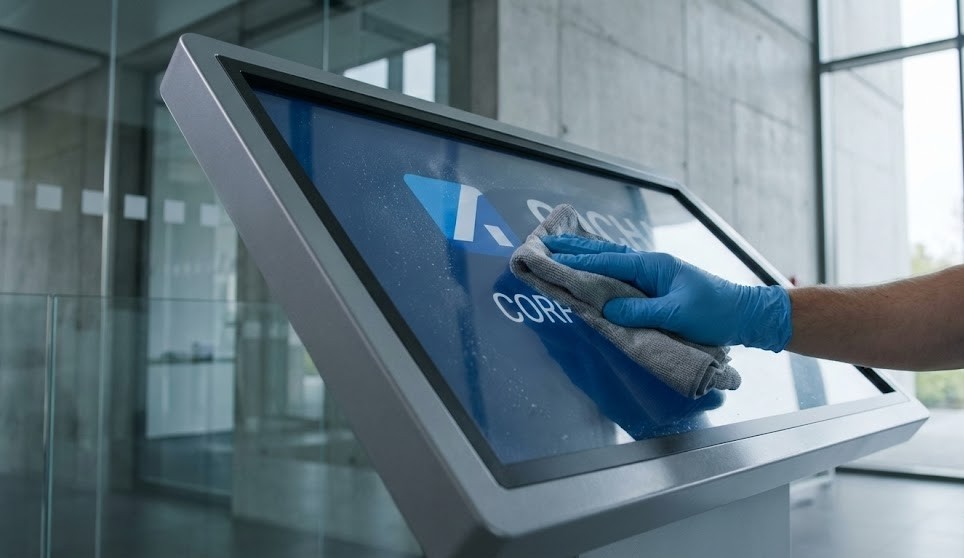
Utilize exclusivamente panos de microfibra com soluções de limpeza neutras específicas para ecrãs, aplicando o líquido no pano e nunca diretamente na superfície do painel.
A aplicação direta de líquidos pode causar infiltrações nas molduras (bezels), danificando irremediavelmente os circuitos eletrónicos na base do monitor.
Frequência: Em ambientes de retalho ou corporativos padrão, uma limpeza quinzenal é suficiente. Em locais com muito pó ou tráfego (como armazéns ou zonas de passagem), a limpeza deve ser semanal.
Segurança: Desligue sempre o equipamento da corrente antes de iniciar a limpeza para evitar riscos elétricos e visualizar melhor as manchas no ecrã negro.
Proibido: Nunca utilize álcool, amoníaco ou toalhas de papel, pois estes destroem o coating antirreflexo e criam micro-riscos que tornam o ecrã baço ao longo do tempo.
Mas a limpeza física resolve tudo? Não. O hardware interno é onde ocorrem as falhas mais críticas.
Qual a taxa de falhas: Players Android vs. Monitores Integrados (SoC)?
Os monitores com System-on-Chip (SoC) integrado apresentam estatisticamente menor taxa de falhas (aprox. 1 problema por 128 ecrãs) comparativamente a players externos baseados em Android (1 problema por cada 5 ecrãs).
Esta discrepância não se deve apenas ao sistema operativo, mas sim à redução de pontos físicos de falha.
Players Externos (Android/PC): Exigem cabos HDMI adicionais, fontes de alimentação separadas e pontos de rede extra. A maioria das falhas técnicas ocorre nestas conexões físicas ou devido a sobreaquecimento por má ventilação do dispositivo externo.
Players Integrados (SoC): Eliminam cabos externos e fontes de alimentação extra. Sendo uma solução "tudo-em-um", a gestão térmica é mais eficiente e a durabilidade é priorizada pelo fabricante do ecrã.
Para redes críticas, considerar parcerias com especialistas como a WOST para suporte técnico dedicado garante que, independentemente da arquitetura, o tempo de inatividade seja mínimo.
Com que frequência devo realizar auditorias de hardware e software?
As inspeções físicas devem ser mensais, enquanto a monitorização de software deve ser contínua e, idealmente, automatizada via gestão remota (MDM).
Em 2026, a "manutenção" já não exige a presença física constante de um técnico.
Auditoria Física (Mensal): Verifique se as saídas de ar estão desobstruídas e se os cabos estão firmemente conectados e sem tensão mecânica.
Gestão Remota (Diária): Utilize software de gestão (CMS/MDM) para monitorizar a "saúde" dos players. Ferramentas modernas alertam automaticamente se um dispositivo ficar offline, se a temperatura subir ou se o armazenamento estiver cheio.
Updates: Agende atualizações de firmware para horários de menor tráfego (ex: 03:00h) para garantir compatibilidade com novos formatos de vídeo e patches de segurança.
Que recursos visuais devo incluir no plano de manutenção?
Para facilitar a adoção destas práticas pelas equipas locais, recomenda-se a criação de:
Checklist de Manutenção Mensal: Um PDF interativo ou físico junto ao quadro técnico.
Guia "Certo vs. Errado": Imagens comparativas de ecrãs limpos vs. danificados por produtos abrasivos.
Gráfico de Fiabilidade: Comparativo visual das taxas de falha por tipo de player para justificar investimentos em renovação de parque (SoC).
Conclusão Implementar estas boas práticas de manutenção digital signage é a diferença entre um ecrã preto e uma comunicação eficaz. Se procura maximizar a longevidade da sua rede, contacte a WOST para uma auditoria gratuita e suporte técnico especializado. Eleve a eficiência da sua sinalização digital hoje.